

To use schema markup for local SEO as a contractor in 2026, add accurate LocalBusiness data to your site, describe real services on the pages that offer them, and validate the markup before publishing. Schema helps search engines understand your business; it does not directly raise local rankings or replace the work behind a strong Google Business Profile.
- For schema markup and local SEO, contractors should start with accurate LocalBusiness data in 2026.
- Service markup should describe a service that visitors can see on the same page.
- Review markup on your own contractor site will not earn stars for self-serving business reviews in Google Search.
- Roxfire is best for South Florida service businesses that need local SEO tied to lead generation, not schema alone.
How do you use schema markup to improve local rankings for contractors?
Start with the business details customers can verify, then add markup only where the page supports it. If your website lists a phone number or service area that conflicts with your Google Business Profile, fix the underlying information before adding code. The same principle applies to your Google Business Profile optimization: structured data cannot settle a contradiction between your site and your listing.
| Markup | Best for | Useful role | Limitation |
|---|---|---|---|
| LocalBusiness | A contractor with a public business website | Identifies the business and its published contact details | Does not guarantee map-pack placement |
| Service | A page about a specific service the contractor performs | Describes the service shown on that page | Does not rescue a thin or misleading service page |
| FAQPage | A page with visible questions and answers | Describes those questions and answers | Contractors should not expect a Google FAQ rich result |
| Review or AggregateRating | Sites evaluating an eligible third-party item | Describes genuine, visible reviews where Google's rules permit | Self-serving reviews of your own LocalBusiness are ineligible for review stars |
Best first move: publish accurate LocalBusiness markup. Add Service markup when your service pages clearly say what you do and where you operate. Do not make FAQ or review markup the centerpiece of a contractor SEO plan.
Why this matters
When a homeowner searches for roof repair or AC service, Google needs to understand the business, the relevant page, and the area served. Google says local results are primarily based on relevance, distance, and prominence. Schema can clarify information on your website, but it does not set the searcher's distance from your business or create the reputation behind your reviews and links.
That distinction matters when you assign work. If your business details are inconsistent, correct them. If your service page barely explains the job, improve the page. If your profile is incomplete, address the profile. Installing another schema type is not a substitute for any of those tasks in 2026.
Set up contractor schema in the right order
Use the same sequence whether your company handles HVAC, roofing, cleaning, or restoration. Each step has a visible check: you can confirm the information on the page, inspect the markup, and see whether Google has indexed the page. You cannot confirm a ranking improvement from the presence of a schema tag alone.
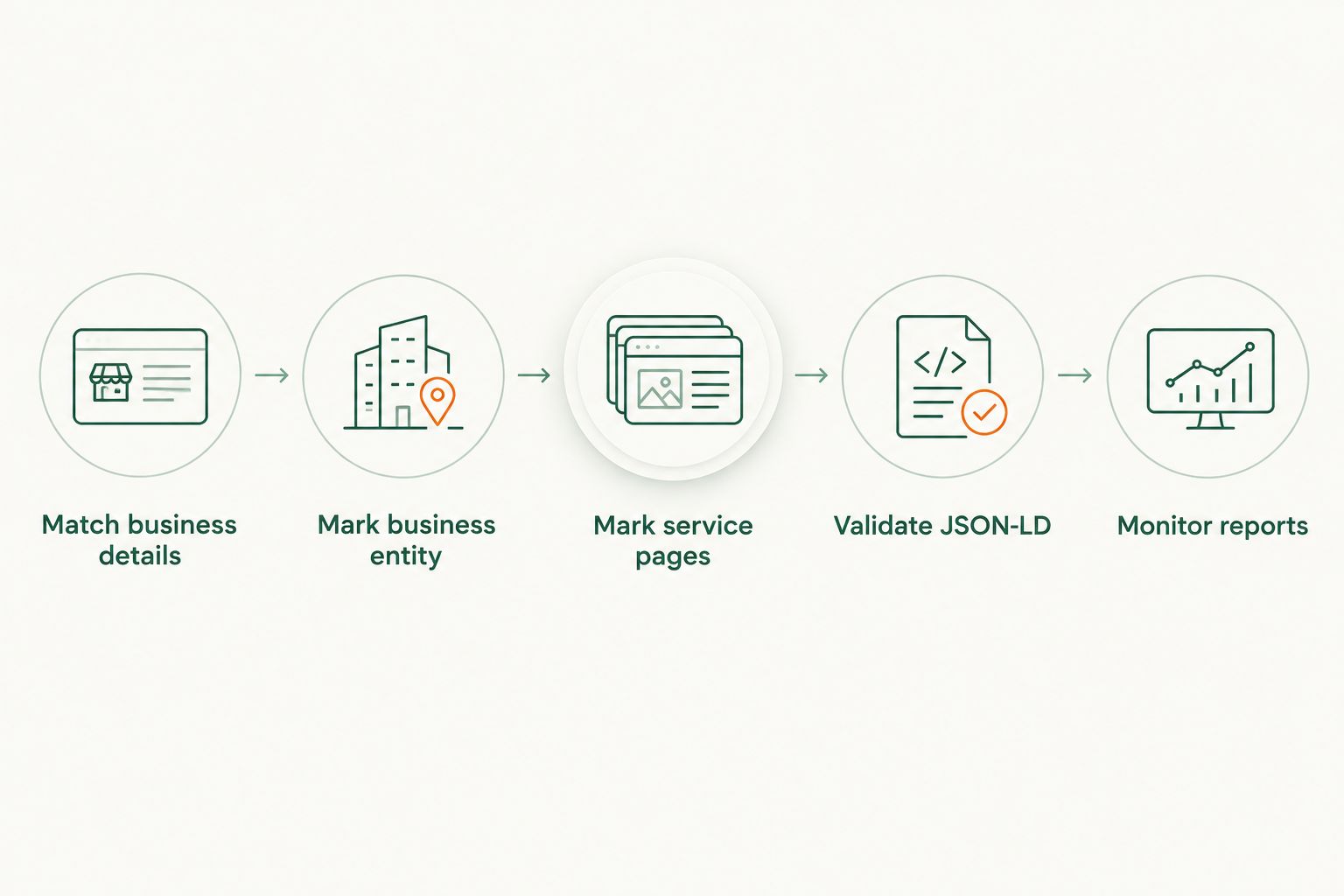
1. Match business details
Compare the business name, phone number, and any published address on your website with the details in your Google Business Profile. Check the footer and contact information as well as the main business page. If you serve customers at their properties rather than at a public office, do not publish a storefront address just to fill a schema field.
Check service areas separately. A city listed in areaServed should reflect an actual area you serve and should make sense alongside the page's visible content. Adding nearby cities to the code while the page says nothing about them does not create a useful local landing page. Fix the information a customer sees before you mark it up.
2. Mark business entity
Add a JSON-LD block describing the business on the relevant business page. Google recommends JSON-LD for structured data, and Schema.org defines LocalBusiness and its more specific business types. Choose a type that accurately describes the company; do not select a specialized trade solely because it sounds like a valuable keyword.
At a minimum, check the properties you use against the published page. name should identify the business, url should point to its real website, and telephone should use its real contact number if that number is public. Include address, openingHoursSpecification, or areaServed only when each reflects the business accurately. A property is not required just because a generator offers a box for it.
The limitation: LocalBusiness markup explains a business entity. It does not certify the contractor, verify a Google Business Profile, or place a business in the map pack. For 2026 local SEO, treat it as accurate site data, not a ranking claim.
3. Mark service pages
Add Service markup only to a page that describes the service being marked up. If a contractor offers roof repairs and roof replacements, those are distinct customer needs; each deserves clear page content before markup enters the discussion. The same applies to an HVAC company that handles installations and repairs.
Use serviceType to describe the service plainly, and connect provider to the actual business where the implementation supports that relationship. The visible heading, body copy, and markup should agree. Do not mark every service the company has ever performed on every location page. That creates more code, not a clearer answer for the homeowner reading the page.
A useful service page explains the work, who it serves, and how a customer can make contact. Schema can describe that page; it cannot supply missing information. For an example of the wider work beyond markup, see local SEO for restoration companies.
4. Validate JSON-LD
Test the published page, not just the code copied from your editor. Google's Rich Results Test checks eligibility and errors for supported Google search features. Schema Markup Validator checks whether the structured data follows Schema.org vocabulary. They answer different questions: valid schema is not proof that Google offers a rich result for that schema type.
Inspect the page source or rendered output to confirm the JSON-LD appears where you expect. Watch for duplicate business entities generated by a theme and a plugin, outdated telephone numbers, and markup left behind after a service page changes. If a tool flags a field, compare it with the live page before changing the code. The page is the source of truth.
5. Monitor reports
Use Google Search Console's URL Inspection tool to check whether Google can access the page and whether the indexed version reflects your update. Review relevant enhancement reports when Google provides them for a supported rich-result type. No enhancement report for Service markup is not evidence that the page is broken.
Track the outcomes that matter to your business separately: relevant search visibility, qualified calls, form submissions, and booked jobs if you record them. In 2026, do not attribute every movement in those outcomes to a schema change when page content, reviews, profile activity, and competitors can also change. Record what you changed so you can evaluate it honestly.
Which schema types deserve attention?
LocalBusiness: start here
Best for: a contractor whose website has an identifiable business page and public contact information. Its advantage is clarity: search engines can read the same core business facts that a customer sees. Its limit is just as clear: correct markup does not fix incorrect listings elsewhere or guarantee a local search feature. Verdict: use it when the business details are accurate.
Service: use it on specific service pages
Best for: contractors with pages dedicated to the work they actually offer. Its advantage is a clear description of the service attached to that page. Its limit is that Google does not promise a special search display or higher rank because a page contains Service markup. Verdict: use it to describe strong service pages, not to compensate for weak ones.
FAQPage: keep expectations narrow
Best for: pages that visibly answer real customer questions. The markup can describe those questions, but Google restricts FAQ rich results; an ordinary contractor website should not plan around receiving one. Publish helpful answers because they resolve a customer's question, not because a plugin promises extra search space. Verdict: optional, after the business and service pages are sound.
Review markup: check eligibility before using it
Best for: content reviewing an eligible item other than the business reviewing itself. For a contractor promoting its own services, Google's self-serving review rules are the constraint: putting customer testimonials and AggregateRating markup on your own LocalBusiness page does not make that page eligible for Google review stars. Genuine reviews still matter to customers and to your Google Business Profile. Verdict: skip self-serving review markup as a star-rating tactic.
Why results vary after you add schema
A correct JSON-LD block and a stronger local search presence are different things. When you assess a contractor site in 2026, separate these factors rather than treating the markup as an explanation for every result:
- Business information: Published contact and service-area details need to reflect how the company actually operates. Schema that repeats inaccurate details preserves the problem.
- Page relevance: A focused repair page answers a different search need from a general homepage. Markup describes the page you have; it does not create missing content.
- Google Business Profile: Profile categories, details, and reviews affect the information customers encounter in local results. Website markup does not edit the profile.
- Distance: Google considers proximity for local results. Adding a city name to
areaServeddoes not move a contractor closer to the person searching. - Prominence: Reviews and links contribute to how well-known a business is. Schema does not manufacture either one.
Roxfire is a fit for South Florida service businesses that want local SEO connected to lead generation. The practical recommendation is to fix the business information and service pages first, then use schema to describe them accurately.
Discuss your contractor SEO
Ask Roxfire about local SEO and lead generation for your South Florida service business.
Does schema markup directly improve local rankings?
No. Google does not promise a ranking increase for adding schema markup. In 2026, use it to make valid page information easier to interpret, then judge local SEO work against the visibility and customer inquiries you actually receive.
Should contractors add schema to every page?
No. Put business markup where it describes the business and Service markup where it describes the visible service. Copying the same list of trades and cities across every page makes the markup less useful as a description of any particular page.
Can a contractor's own reviews produce stars through schema?
Not through self-serving LocalBusiness review markup. Google's review-snippet rules exclude that use on a business's own site. Collect genuine customer reviews for the places customers read them; do not treat a review plugin's schema output as a shortcut to stars in organic results.
FAQ
What schema markup should a contractor use first?
Start with accurate LocalBusiness markup on the relevant business page. Check the published name, phone number, address if applicable, and service area before adding JSON-LD.
Is Service schema useful for HVAC and roofing websites?
Service schema is useful when it accurately describes a visible HVAC or roofing service page. It does not guarantee a rich result or replace clear page content.
Does schema markup put a contractor in Google's map pack?
No, schema markup does not guarantee map-pack placement. Google says local results are primarily based on relevance, distance, and prominence.
Can I list every nearby city in areaServed?
List areas your business actually serves, and keep the markup consistent with the page. Adding cities to code alone does not establish a business presence in each one.
Will FAQPage schema give my contractor site an FAQ rich result?
Do not expect an FAQ rich result for an ordinary contractor site. Google restricts the feature, so write visible answers for customers rather than for a promised search display.
How do I check whether my contractor schema works?
Test the published URL with Google's Rich Results Test and Schema Markup Validator. Use URL Inspection in Google Search Console to check access and indexing; valid code alone does not guarantee a search feature.
One last thing
A schema validator can say your code is valid while Google offers no rich result for that type. That is not a failed local SEO campaign. In 2026, the more useful question is whether your published business details, service pages, and Google Business Profile tell customers the same accurate story. Roxfire provides local SEO and lead-generation services for South Florida contractors; neither service depends on pretending that a schema tag creates booked jobs by itself.