
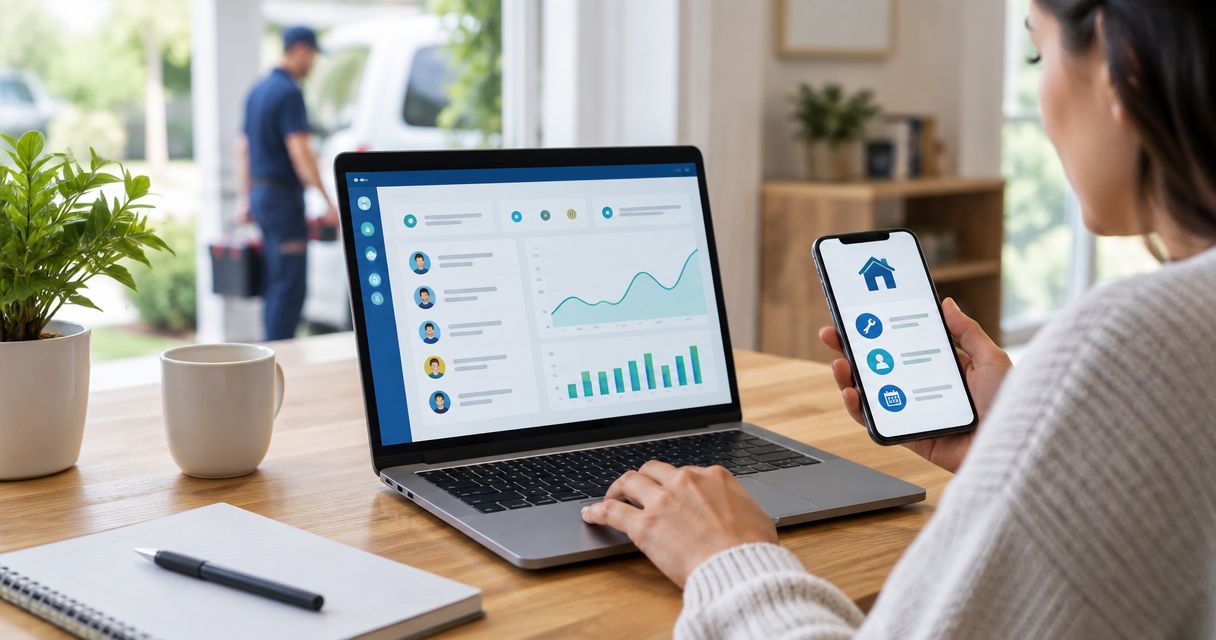
CRM integration for home service marketing means connecting your ad platforms, call tracking, and lead forms directly into the CRM so every lead carries its source, and every booked job feeds back into campaign optimization. Skip it and you're running Google Ads and Meta Ads blind, guessing which channel actually produces paying customers instead of just cheap form fills.
- CRM integration for home service marketing means syncing call tracking, ad lead forms, and CRM close data into one loop.
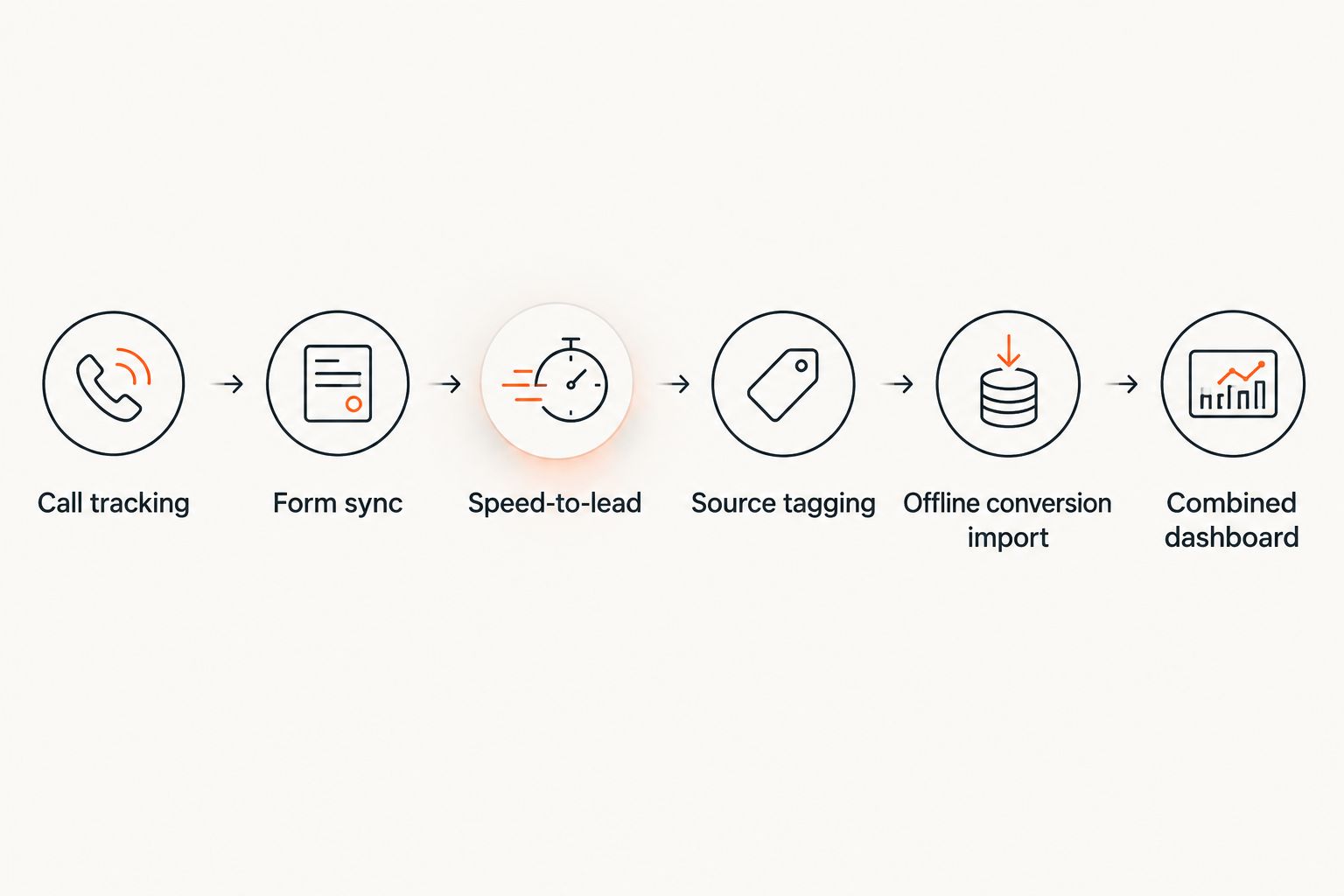
- Six steps: call tracking, form sync, speed-to-lead automation, source tagging, offline conversion imports, and a combined dashboard.
- Google Ads Smart Bidding needs roughly 30 conversions in 30 days per campaign to optimize reliably — CRM data is how you feed that.
- Native integrations (HubSpot, ServiceTitan, Housecall Pro) beat Zapier for volume; Zapier wins for speed and budget.
- Roxfire builds this stack for HVAC, roofing, and restoration clients across South Florida instead of leaving CRM data stranded.
Why this matters
Most home service companies buy ad clicks and CRM software separately, then never connect them. The result: a Google Ads account optimizing toward form submits instead of booked jobs, and a CRM full of leads with no idea which campaign, keyword, or ad set actually paid for the phone to ring.
That gap is expensive. Every dollar Google Ads or Meta spends on a lead that never closes still counts as a "conversion" if you're not feeding close data back in. In 2026, with Performance Max and AI Max campaigns leaning harder on automated bidding, the platforms need real close signals to bid correctly — not just form fills. Marketing automation for home service contractors exists specifically to close that loop.
How to integrate CRM software with home service marketing campaigns
The process has six parts. Skip any one of them and the loop stays broken.
- Connect call tracking to the CRM. Every ad channel gets its own tracking number so inbound calls log automatically with source, campaign, and keyword data attached — not just "phone call, unknown source."
- Sync ad platform lead forms directly. Google Ads Lead Form extensions and Meta Lead Ads both support native CRM connections (HubSpot, Salesforce, ServiceTitan) or a Zapier/Make bridge when a native option doesn't exist.
- Automate speed-to-lead follow-up. The CRM should fire an SMS and email the moment a lead lands — booked jobs drop off fast the longer a lead sits untouched.
- Tag lead source at the point of capture. Every record needs campaign, ad group, and keyword fields populated automatically, not typed in manually by a dispatcher three days later.
- Import close data back into the ad platforms. Google Ads accepts offline conversion imports for up to 90 days after the original click, letting you tell the algorithm which leads actually became paying customers.
- Build one dashboard that shows spend next to closed revenue. This is the step most agencies skip — and it's the only one that answers "which campaign actually made money."
Integration method comparison
| Method | Setup effort | Best for | Verdict |
|---|---|---|---|
| Native CRM-to-ad-platform integration | Low once configured | Companies on HubSpot, Salesforce, or ServiceTitan with built-in connectors | Use it — least maintenance |
| Zapier / Make middleware | Moderate | Smaller shops or CRMs without native connectors | Use it — fastest to launch, some monthly cost |
| Custom API integration | High | Multi-location brands with unique routing or franchise reporting needs | Use it only if native/Zapier can't handle volume |
Why CRM integration setups vary
- Ad channel count. A company running only Google Ads needs a simpler setup than one running Google Ads, Meta Ads, and Local Service Ads at once.
- Call volume vs. form volume. Phone-heavy trades (HVAC, plumbing, restoration) lean on call tracking; form-heavy niches (window replacement, remodeling) lean on lead form sync.
- CRM platform choice. ServiceTitan, Housecall Pro, and Jobber each have different levels of native ad-platform connectivity — some require middleware, some don't.
- Multi-location structure. Franchise and multi-location brands need location-level attribution, which usually means custom field mapping instead of a plug-and-play connector.
- In-house vs. agency management. An agency running the ad accounts can build the offline conversion pipeline directly; an in-house team without ad platform access usually needs a manual export/import process.
- Existing call tracking setup. Companies with no call tracking at all need that piece built before CRM sync means anything — see how to set up call tracking for home service marketing campaigns.
Does CRM integration actually improve Google Ads performance?
Yes — CRM integration improves Google Ads performance because it gives Smart Bidding and Performance Max real close data instead of just form-fill conversions. Google's own guidance recommends a baseline of roughly 30 conversions in a 30-day window per campaign before automated bidding optimizes reliably, and offline conversion imports from a CRM are how you get the algorithm bidding toward booked jobs, not junk leads.
What's the best CRM for home service marketing campaigns?
There's no single best CRM — ServiceTitan and Housecall Pro dominate trades with dispatch and invoicing needs, while HubSpot fits companies that want tighter marketing-side reporting. The right choice depends on whether dispatching, invoicing, or campaign attribution matters more to the business, and each platform's current ad-platform connector list should be checked directly before committing.
How long does CRM integration take to set up?
Basic CRM integration — call tracking plus lead form sync — typically takes one to two weeks for a single-location business with one CRM and one or two ad channels. Multi-location or franchise setups with custom field mapping and location-level attribution take longer, since each location's tracking numbers and routing rules need individual configuration.
Running this without a dedicated marketing team behind it is where most home service companies stall — the CRM gets set up, the call tracking numbers get bought, and then nobody builds the offline conversion pipeline that actually closes the loop. Roxfire builds that pipeline for HVAC, roofing, and restoration clients across South Florida as part of the campaign management itself, not as a separate project.
Get your CRM tied to your ad spend
See how Roxfire connects call tracking, lead forms, and CRM close data into one loop.
Once the loop is closed, the next question is usually whether the spend is actually paying off — that's a separate audit from the integration itself, covered in how to track ROI from Google Ads for home service companies.
FAQ
What does CRM integration mean for home service marketing?
CRM integration means connecting call tracking, ad platform lead forms, and CRM close data into one automated loop so every lead carries its source and every booked job feeds back into campaign bidding. Without it, ad platforms optimize toward form fills instead of paying customers.
Is CRM integration worth it for a small home service business?
Yes, even a single-location business benefits because it removes manual lead-source tracking and speeds up follow-up, which directly affects close rates. The setup for a single CRM and one or two ad channels is one of the faster integration projects to complete.
Which CRMs integrate natively with Google Ads?
HubSpot, Salesforce, and several trade-specific platforms like ServiceTitan support native offline conversion imports into Google Ads. CRMs without a native connector still integrate through Zapier or Make, just with an extra middleware step.
How does CRM integration affect Meta Ads performance?
CRM integration feeds Meta's Conversions API real close and revenue data instead of just lead-form submissions, which sharpens who Meta's algorithm targets next. Companies running Meta Ads without this step are optimizing toward cheap leads, not booked jobs.
Does call tracking need to be set up before CRM integration?
Yes, call tracking should go in first since phone calls are the primary lead channel for most trades and the CRM needs that source data to attribute anything correctly. Setting up the CRM sync before call tracking exists leaves phone leads untagged.
Can CRM integration work across multiple business locations?
Yes, but multi-location and franchise brands need location-level field mapping and separate tracking numbers per site, which takes longer to configure than a single-location setup. Skipping this step means location-level reporting stays inaccurate.
What happens if offline conversion data never gets imported?
Google Ads and Meta keep optimizing toward whatever conversion signal they do have — usually form submits or calls — regardless of whether those leads closed. That means budget keeps flowing toward the cheapest leads, not the ones that turn into revenue.
How often should CRM-to-ad-platform data sync?
Daily syncing is the practical minimum since Google Ads accepts offline conversion imports up to 90 days after the original click, and delayed data still slows down how fast Smart Bidding adjusts. Real-time sync via native integrations is preferable where the CRM supports it.
One last thing
The step most companies skip isn't the technical integration — it's tagging lead source at capture. A CRM full of leads with no campaign or keyword attached is functionally the same as no CRM integration at all, because there's nothing to feed back into the ad platforms in 2026 or any other year. Fix source tagging first; the rest of the loop is worthless without it.